Showing posts with label how to. Show all posts

Fix Error ‘‘The iPhone Update Server Could Not Be Contacted Or Is Temporarily Unavilable’’

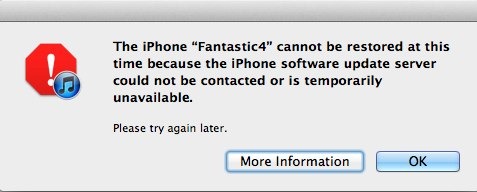
Here's in this post i will shows you how to fix The iPhone Update Server Could Not Be Contacted Or Is Temporarily Unavilable when you try to restore to iOS 5.0.1, the problem is from the server not from and not from the iPhone or any computer, so and maybe the sever unavilable because thousand want to restore their iPhone, iPad and iPod touch, so in order to fix this error just follow these easy step by step guide from iDevBlog.net.


Step 1 : Download 5.0.1 from this link 
Step 2 : now put the firmware in ( C:/ User / 123 / appdata / roaming / apple computer / itunes / iphone software updates) 123 is the name of your computer. 
Step 3: Now try to do restore
if you need any help just leave a comment.

Read More... Résumé

How to Fix 3194 Error For Update To iOS 5.0.1

Many of us faced problems when updating to version iOS 5.0.1 and did not know how to solve them, and still faces many problems even now, so we decided to develop a solution to these problems for you.


1. Edited to the Hosts file and delete this line 74.208.10.249 gs.apple.com From it
2. delete the file Hosts.Umbrella
3. put the device in DFU mode
4. Open iTunes and just click Restore.

Read More... Résumé

Problem "No SIM Card" faces some of the iPhone 4S users

All seen in recent times some of the problems faced by the users iPhone 4 S Among them was a performance bad battery 'with iOS 5'', as well as echo when making calls, and today there is a new problem, as emphasized by some users repeat themessage "No SIM Card "With the iPhone 4S.


So far, no large number of users experiencing this issue and appear to be on a limited scale, as is the case with the problem of the battery, and now we have to wait a bit to see the problemmore.


With the knowledge that the solution to the problem now is to restart the iPhone 4S 'temporary fix', but it is possible that the problem is from your slide in different countries, so it may will solution is to replace the Sim.
Read More... Résumé

BlurriedNCBackground : to add background Blurried in Notifications Center in iOS 5


With this nice tweak BlurriedNCBackground from Cydia, you can put a Blurried background on the notifications center on iOS 5, which is the most prominent features of the system iOS 5, if you do jailbreak for your device,you can download it now for free.


Do you want to experience? Well, it's free in BigBoss Source called BlurriedNCBackground, but you must first jailbreak your device for iOS 5 or version iOS 5.0.1.

Read More... Résumé

Unlock the iPhone 4S on At&T without any Apps

Applications developers found a loophole in iOS 5 allows unlocking iPhone 4S, where, as we know Apple sells unlocked iPhones completely, ie can not use iPhone in contact only through the slide closed contact them.


At first here are some observations:
  • Of these steps is carried out on personal responsibility, we do not accept any responsibility for the failure of the method or any malfunction.
  • You will need to iPhone 4 S''GSM''slice and AT & T activated, as well as the slide that you want
  • According to this way of traveling a lot, and possession of a slide AT & A.
  • Make sure you turn off Wi-Fi and also turn off the automatic search.
Step 1: Insert original carrier AT&T SIM card
Step 2: Dial 611 for AT&T customer service hotline and drop the call
Step 3: Turn on Airplane Mode
Step 4: Take out AT&T SIM card
Step 5: Insert T-Mobile SIM card
Step 6: Make sure WiFi is off ( also tap on ‘Forget this Network” to make sure it doesn’t connect automatically later)
Step 7: Switch off Airplane Mode and iPhone will search for network. This is followed by the Apple splash screen appearing.
Step 8: Activation Required will be displayed on the screen
Step 9: EDGE network will activate automatically – notice the ‘E’ on the top left corner of the screen
Step 10: Wait for about 20-30 seconds and turn off the phone
Step 11: Turn on iPhone and the same Activation Required screen will be displayed
Step 12: When you see one signal bar, tap on Use Cellular Connection
Step 13: Eject SIM card
Step 14: Activation Required screen will be displayed the second time
Step 15: Insert SIM card - Unlocked!
 [via]
Read More... Résumé

How To Enable Panorama Camera Mode On iOS 5 For iPhone, iPad And iPod Touch Without Jailbreak

Earlier, We Have Posted About How To To Enable Panorama Camera Mode On iOS 5 Via jailbreak tweak Firebreak , But Here's Another Guide How to Enable Panorama Camera Mode On iOS 5 For iPhone 4S, iPhone 4, iPad 2 And iPod Touch Without Jailbreak as Funky Space Monkey explains.


Step 1 : you’ll need to backup your device’s data in iTunes since we’ll edit some files in your 
software.


Step 2 :Download iBackupBot from here. It’s compatible with both Windows and Mac, Once it’s finished downloading, install and launch.


STEP 3: Search Library/Preferences/com.apple.mobileslideshow.plist and double hit on the file to open it.


Step 4 : Now Search This Code :
<key>DiskSpaceWasLow</key> <false/>
 Then Directly below add :
<key>EnableFirebreak</key> <true/>


 then hit the disk icon to save .


STEP 4: Now restore your device from backup via iTunes.


Read More... Résumé

Updating to Windows phone Mango occur without problems


Microsoft a few days ago issued the update to the Windows system phone Mango to its phones windows art and how things were until now? Appears to be working smoothly without problems and a half mobile Windows phone I got the update and Microsoft says that the update will come to all the phones as soon confirmed the conformity of the update to the requirements of Windows mobile phone


[Windows Phone Blog]

Read More... Résumé

The process of dismantling the Apple Screen Thunderbolt Display


Well there you loved iFixit site, which offers us today a new episode in the autopsies, and this time with the new Apple display Thunderbolt Display the piece What's New Here? Well first of all to the LCD screen are made by LG and some of the pieces and the audio amplifier from Texas Instruments and Broadcom

Read More... Résumé

How to become an expert in the use of the iPad

Large

How to become an expert in the use of the iPad? Devices iPad full of possibilities that need a lot of time so that all could be detected, so you set of tricks that will make you an expert in the "iPad 2", so make your friends turn to you to help them to use


Download the instruction manual for your free iPad, usually do not cause these devices to this guidance paper is therefore a large directory of the best download site Apple


View the video guide the photographer free from Apple, where the company provides a video of all applications on your iPad what you can learn how to use them


Use the button side to run or stop the alert sound without mute or transfer the device to the frame to the image you prefer, you can also toggle the functions button side by going to "Settings" from the "Home screen" and choose "General" and select the task button you want from the list " Use Side Switch to "


Buttons where you can multi-task by pressing the button twice on the "Home" to open a list of applications open or closed as you navigate the shortcuts bar in the left and right for easy access to applications running audio and video


Jof faster writing on the device by clicking on the ruler twice while writing the message


Do not make the patch where you can bother you automatic rejection by ending the word and see alternatives, which puts them, and if you want to choose one of the alternatives as you type you can put pressure on the ruler or writing a punctuation mark


Protect your backup copy on your iPad through encrypted on the program "iTunes" by following these steps: Click on the "Summary tab" and select "Encrypt iPad backup" from the list of "Options"


Prevent automatic search: sometimes want to prevent automatic search for your iPad when connected to your computer, and you can by pressing the buttons Shift and Control, or "Command Option" on a Mac while opening the program "iTunes" to skip the research stage to a one-time only, or you can turn off the search process while the program through the download button to lock down the iPad


You can move the "bookmarks" from the iPad to the computer or vice versa, opening the list of "iPad" in the application "iTunes" and click on "Info" and choose "Sync bookmarks with" to select your preferred browser


Mark the password of the device is more complicated, where you would normally work systems "IOS" with a password of 4 numbers, but you can close them to go to "Settings, General, Passcode Lock, Simple Passcode" to put a password the largest and most complex


Clear your data in 10 seconds, where you can adjust your iPad to clear all the data it contains in the case of the failure to put the correct password 10 times, by going to Settings, General, Passcode Lock" feature and choose "Erase Data


You can let the browser "Safari" by using the AutoFill feature of the data such as developing e-mail and password, or other data that have already been introduced by the through the Settings, Safari, AutoFill


Replace the signature of your messages, instead of the signature indicates that you sent from your iPad you can go to
Settings-Mail-Contacts-Calendars-Signature


The easiest way to send images by e-mail from the iPad is to open the application of images and select the image and press the button on the top right corner of the decree by the image of shares and choose "Email photo" to be sent


You can find the link the related words by placing the cursor over the word for a link to show you what real help you to avoid engaging in dangerous locations could cause damage to your computer


Choose the application to open your e-mail attachments as you can in case you do not want to open a file extension of your messages through the main application you can choose your application offline by placing your cursor and pressing until you open a lengthy list to choose the application


IPad use as a frame image, but not for prints, and clicking on the icon image group in the lower-right corner to display the images on the device


Reviewed the status of traffic and opening the "Maps" and pressure on the flexor paper sign on the right side below, then fill the "Traffic overlay" if the device is connected to the Internet will show you the current traffic situation


Replaced by the search engine the user through the Settings, Safari, Search Engine, but you would reduce the engines Google, Yahoo and Ping only


Take a picture of anything on your screen by pressing the "Home" button "sleep / wake" at the same time to show the image in the image file automatically. How to become an expert in the use of the iPad? Devices iPad full of possibilities that need a lot of time to be discovered all of us, So Here's a set of tricks that will make you an expert in the "iPad 2", so make your friends turn to you to help them to use

Read More... Résumé

Tips to improve iPhone battery work during daylight hours

If you are feeling short time borne by the battery of your iPhone device during daylight hours, and if your computer is unable to complete your day shipping and one of the battery? Here's the tips that may help you to complete your day without having to charge the battery of the new iPhone, the methods able to extend the life of the battery an additional half a day at least

Perhaps you know that the iPhone needs a battery to charge the electric twice during the day, and for this there are several ways to maintain the capacity of the battery to improve the period of service during the day so that we can spend the day without having to charge the iPhone battery again

We chose you here are four ways will help you maximize the use of the battery in your device

Reduce the level of screen brightness in the iPhone


This is the most important factors that drain battery life and capacity during the daylight hours: Brightness is the password. You adjust this index so as not to exceed 49%, and this may be doubled from the period of service during the day because the battery light consumes the largest amount of battery power


إغلاق خدمة الموقع Location

Close Site Location Service

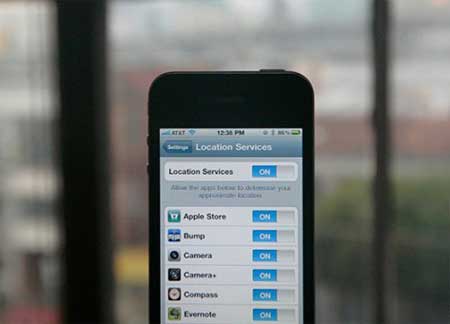
This service is also required to learn many of the applications when activated for the first time in the device, which relies on GPS to determine where on any map, and this consumes a lot of energy from a battery iPhone, especially as a number of these applications running in the background, a need-to-energy for it


Close applications operating in the background
Please note that this advice will help you to prolong the battery service on the other hand speed up the work of the device, because while remaining open applications and run in the background, it continues to power consumption and system resources as a whole


المحافظة على درجة حرارة منخفضة للجهاز


Maintain the low temperature of the device 

Keep as much as possible on the low temperature of the device, that is not exposed to sunlight or to hot environment. We do not ask you to place your device in the refrigerator, but what is required is not left on the table under the scorching rays of summer sun, or not left in a closed car when you enter the store to shop

These are some tips that we have made to you to prolong the battery service per day is derived from personal experiences and the experiences of others is the way, give very good results and help to carry the battery until the end of the day

Read More... Résumé

Solve the problem [error 1004-please try again later] with the app Store

حل سريع لمشكلة تحميل التطبيقات من الاب ستور ؟

One of these problems, which are repeated during the download applications from the "App" is that the user receives a message "error 1004-please try again later", a situation faced by many who are trying to download applications


 : Here's a very simple solution to this problem


Go to the settings on your device and then press the - "safari", below clear record of history, cookies and log memory, and then switch the device off and filled again


Now, try to download applications is expected that you will not face a problem like that anymore


If this solution does not help you check the applications operating in the background and close all of us, or check the memory capacity of your machine and how much is left of it


The benefit of this solution as a device for your iPhone and iPad


Read More... Résumé

Toshiba unveils Canvio 3.0 and updated to Basics family both now external hard disks with USB 3.0 ports


Announced that Toshiba this morning for external hard drives Canvio 3.0, which has the same specifications of external hard drives Canvio 3.0 Plus is available now through Amazon and start amplitude of 500 GB to one terabyte and prices from $ 90 to $ 140 and can provide storage cloud as you can put the enclave will be available in different colors as the company announced this Canvio Basics is cheaper than that mentioned above by a $ 10 price of the said ports and is equipped with USB 3.0

Press release


TOSHIBA UNVEILS CLOUD-BASED BACKUP CAPABILITY FOR CANVIO®3.0 PORTABLE HARD DRIVES, ADDS USB 3.0 VERSION OF CANVIO BASICS

Continues the Canvio tradition of fast, easy, and reliable backup of digital content for consumers wanting to protect their most important documents and files

IRVINE, Calif.- Sept. 26, 2011 – Toshiba’s Digital Products Division (DPD), a division of Toshiba America Information Systems, Inc., today announced its Canvio® 3.0 portable hard disk drive (HDD) line featuring cloud-based backup capabilities1. With storage capacities of 500 gigabytes (GB), 750GB or one terabyte (TB2), the new Canvio 3.0 line also features simple plug-and-play operation, pre-loaded backup software, and is compatible with personal computers and other devices equipped with USB 3.0 or USB 2.0 ports

Designed to meet the needs of consumers who increasingly rely on the cloud for digital storage, the Canvio 3.0 drives are pre-loaded with Windows™-based NTI® BackupNow EZ™ software that provides step-by-step and fully-customizable backup capabilities to the cloud and to the drive. Users create a cloud account with NTI® BackupNow EZ™ where they can backup specific folders, certain file types, and conduct a complete system backup to the Canvio 3.0. The backup software also scans the user’s system and files and recommends which files to backup to cloud-based or on-device storage

Toshiba also announced the expansion of the Canvio Basics family to include the support of USB 3.0, enabling Canvio Basics users to take advantage of the faster data transfer speed of USB 3.0-enabled devices. The Canvio Basics 3.0 features a new compact design and is also available in 500GB, 750GB and 1TB capacities. With a black satin finish, the Canvio Basics 3.0 is the most recent addition to Toshiba’s entry-level storage line to store valuable documents and digital content

“Digital consumers need to quickly backup high resolution photographs, important documents, high definition videos and large music files in a seamless storage system. HDDs with cloud-based backup capabilities offer consumers a digital safety net against system failure,” said Maciek Brzeski, vice president of HDD retail products, Toshiba America Information Systems, Inc., Digital Products Division. “With cloud-based backup, Canvio 3.0 offers consumers a simple and easy backup solution for all types of digital files that need reliable storage

For advanced users, the Canvio 3.0 also offers complete password protection with up to 256-bit data encryption to prevent unauthorized access to data; an on-screen Drive Space Alert monitor also sends an alert when storage space is running low. The internal Shock Sensor and Ramp Loading Technology protect the drive during daily movement from a pocket, desk, bag, or beyond

The stylish Canvio 3.0 product line also continues Toshiba’s high quality industrial design, including its pocket-sized, rounded rectangular form factor and sleek high gloss finish. The Canvio 3.0 is available in black, white, silver, red, green, and blue3. To provide users with peace of mind, the Toshiba Canvio 3.0 includes a three year limited warranty

Toshiba Canvio products have been designed and manufactured in accordance with Toshiba’s high quality product standards, incorporating the latest technology and user-interface, while ensuring best-in-class performance, quality and workmanship. The Canvio 3.0, Canvio Basics 3.0, and the complete lineup of Canvio Portable Hard Drives may be found at major retailers within North America and online outlets. For a full list of retailers, please visit www.us.toshiba.com

Pricing and Availability
The Canvio 3.0 and Canvio Basics 3.0 are available today on www.toshibadirect.com, national retail stores, and online retailers

 : Manufacturer’s Estimated Single Unit Price (ESUP) by capacity

· $89.99 for 500GB Canvio 3.0
· $109.99 for 750GB Canvio 3.0
· $139.99 for 1TB Canvio 3.0
· $79.99 for 500GB Canvio Basics 3.0
· $99.99 for 750 GB Canvio Basics 3.0
· $129.99 for 1TB Canvio Basics 3.0


Read More... Résumé

Charge your mobile battery, by walking | New Tech

Large

Usually when you walk consume significant additional energy, but do you ever think that it can use this energy to charge your cell phone during the walk

Were invented new shoes have new technology works on the exploitation of the energy burned during the walk-in battery charging mobile phones, this is done by converting the heat or energy generated by the movement of walking into electricity through a small chip installed in the bottom of the shoe insole to produce electrical power up to 20 watts during walking
In the opinion of experts and researchers who invented this charger that innovation would be very helpful to a great extent to the military and while doing the tasks the military and war because it will help ease the burden of carrying a lot of devices and weapons


Read More... Résumé

The correct way to delete your number from whats up app

whats up one well-known applications of the conversation, which depends on your phone number and correspond with your contacts is to show the contacts, which has enabled you whats up


Q: How do I delete my phone number from whats up

For me, I wanted to activate the whats up on another phone number but I have no cached Some believe that once the application delete whats up, it will be removed from the device name from the users of whats up and this is a mistake you will find your name visible and may cause embarrassment to you with your friends

 : The correct way to delete whats up 

Unfortunately, I see that this method is practical and weakness of major officials at whats up you are in case you want to delete the phone number of the service completely so that it does not appear when other users, you should contact technical support and provide them with your phone number and will respond to you and then is deleted your number from server their own and there is no other option to delete your number, except this option


Read More... Résumé

? How to get perfect pictures with your mobile phone

Large

Technological development make us kick the habits of many of them to give up carrying the camera and photography _dalha smartphone which features more of the most important feature light weight, and this list includes a set of steps that can help you get the best smartphone device images


Photography in sunlight When plucked from the docks for a picture during the day outside the home, you must make the sun behind you or to make them come over one of your shoulders, but if you take a picture from inside the house must be close to the window behind you and make it also with the room lighting that captures the image


Install your photos Instead of putting the thing to target shoot in the mid-frame camera, divide your view of this framework to three lines, then place the thing that you want to portray one of these lines, while maintaining the level of the camera straight


Mark the camera faster In some mobile phones you can not run your application with the necessary speed camera, so you must put your application in place of the camera phone easy and fast operation, so as not to miss an important event does not take a long time


Make your phone is always ready Of the most important reasons that lead to a blurry image that your phone is light and thin, so you should catch a good phone with both hands while keeping Euaan bent at your sides as a pillar of the camera, and then capture your image in all calmness and concentration


 know when to start taking the picture Plucked from the docks before the image should be put in Hspank the time it takes the camera from the moment of pressing the camera button and the camera response is to capture, because there are many mobile phones that delayed the implementation of this command.


Set all the factors surrounding If the camera is the property of the control white balance, you always get the best results, but if she is undisciplined colors adjust the lighting around you that can be represented in the fluorescent lamp or the light of day, then make this balance work automatically (operating self) when the camera is turned on again, and if the camera is the property of the ISO to adjust the lighting (you can access them through the "Settings" or "camera" in the system, Android "Android" and through the button that holds the gear icon "Gear" phone and Windows disconnect This property is for Akon "Auto" or self-employment


Expanded dynamic range imaging Some phones (such as the iPhone and Windows 7) are characterized by their high in providing a wide range from which you can transfer a wide range of fine details and natural colors vital to the image, and is similar to the property and property HDR Software are some devices that you can use instead of the flash when faced with lack of balance in lighting When taking the picture


On your camera to the studio Come some cameras with many of the characteristics of imaging professional, such as those characterized by the coefficient of photography, others it does not have such capabilities, so you must set your camera to be able to live up to such functions (such as visual effects and the purity of colors), When you must do so to choose low or medium level of color purity in order to get a color close to true color


Use flash to show all the details Light emitted from the camera (flash) contribute to reduce the shadows caused by sunlight, and to ensure the best result you should come as close as possible to the goal that you want filmed


Do not use the digital zoom  That your phone can not zoom the image by moving the lens, so you should be close to your subject instead


Provides software If you own a iPhone then you are lucky, because this device has the ability to supply all that is new software that helps to develop, so you need to visit the outlet where you purchased your phone from, and ask to add recent programs help to develop the possibilities of camera iPhone


Read More... Résumé

Fixed a problem in the iPhone home button several steps

Do you sometimes suffer from the problem of the lack of response in your home button when pressed? Is it refuses to respond to the home button double pressure? Or do you sometimes have to press this button several times to accommodate

إرشاد: إصلاح مشكلة زر الهوم في الايفون بعدة خطوات

If you are experiencing such cases, it seems that your computer has a problem in the software installed in it, and to overcome this problem is possible through the button to activate a new home.

Many users complain of a device 4 of the iPhone home button not functioning well, so that does not respond at times to pressure him enough to pay the owner to use the device to the service center to repair the device and able to pay the costs avoided.

In many cases that do not respond to the button home to press for the closure of an application, or program, the reason lies in a bug and not a technical fault, but this can be overcome through several simple steps can be followed by you yourself to activate the button home and thus eliminate by the accumulation of all programs and malfunctions, to work again as it should. How is that?

1. Run any application on your computer (regardless of the application).
2. Click on the button "Device lock" for several seconds until the screen appears at the top "tractor lock" button and then leave the "closed system", without drag lock.
3. Press the button on the home continuously to return to the main screen.
4. Now button has been activated from the new home is ready for use.

If this method did not help you to overcome the problem of non-response button home, problem is not a bug, but in the technical fault requires the technician to go to overcome this imbalance


Read More... Résumé

How will the phones after ten years | phone concept after 10 years


Ten years ago, phones were not there are only a few properties, and often does not work, but the call button, and after ten years and at the present time we can not even explain the properties of the phones in a single report, but has become a new name for the phones specifications powerful and is the smart phones and now is faster than some computers, and pick the highest-quality images from some cameras in our software, and games provide a cheaper and more of the devices assigned to them, became a supporting very high-speed Internet, screens many hope to be on their personal computers and most importantly, to all properties at a reasonable price.

But how will the devices after ten years I expect many of you have some curiosity to know what will happen, so here you will ask our expectations for smart phones after ten years


Processor Speed


I expect the speed processor for mobile will exceed or be such as home appliances in dealing with the programs at high speed and multi-tasking and shoot and run and edit the video with high accuracy and do not think we will need more than three years to be this thing and after support Nvida processor Quad processor Tejra next, which will make the developers put the responding programs and do not fear the power of the device
Strength of Fees


Will have the opportunity to portable gaming devices after ten years from now, and because the smart phone devices now compete with mobile games games cheap prices and provide the user, but to now smart phones do not give a fee in order to satisfy the strong players, and within ten years from now, smart phones will dominate the market completely, and because it will support the excellent strength of fees through the powerful processors that will be issued for smart phones, and also will give greater freedom for game developers to support smart phones to games strong

Mobile screens


Recently there was a major war between the companies smart phones in order to provide better for the screens of the power of definition to easily see the screen in the light of the sun and will continue this war in the past ten years ahead to reach the screens flexible and transparent that many would wish, but I expect the clarity of 720p screen will not increase because the human eye will not see a higher resolution on a small screen that the smart phones

Camera


Smartphones in the current generation compete a lot of cameras on the market in terms of image quality and video and the presence of the phone with you all the time as an example: The iPhone is considered the first source of images in Flickr, and certainly after ten years for Camcorder smart phones will eliminate much from normal cameras and through quality images and video and provided with any smart phone after ten years

System


Operating system is the trump card for any smartphone no matter how powerful its great features and ten years later will revolutionize powerful smart phones and through the system and supported by the developers to the system, but will not be dominant on the market but few that will make the competition less than the current time

Price


I can say that the only thing that will go to the worst is the high price and the user is natural to say that because the companies will try to put the best specifications in a single device, which will cost the company a lot and the only person who will pay the user


Read More... Résumé

How turning Android phone to computer mouse

Sometimes one may be forced to use the computer after the fact that it is not comfortable carrying heavy mouse device, therefore, the ability to control the computer mouse through a touch screen smart phone is the best way to do the job. Therefore, the simple search in Google gives you what you want in a few minutes


RemoteDroid program converts the screen of your smartphone running the Android to the plate "mouse" similar to those used in mobile computer "laptop." This program consists of two parts: first you download to your computer (download link) and can be downloaded both parts of the program from this site where there together
You will need to install Java on your machine so that the program works correctly and the program runs on Windows, Mac and Linux.
After you download the zip file and decrypt the pressure will get two files. You may experience pressure on the file RemoteDroidServer.bat who will try to run the program through the stomping, even if JavaScript is correct setting on the device you can click on the file RemoteDroidServer.jar twice for running the program through a Java method is easier and will open a window show you the IP number of your device as described in the image below in case you get a warning message from Windows asking if you want to allow Java to
work and connect to the network click on Allow


Now Install RemoteDroid in your Android phone which does not take a long time and run the program to get the following screen


Enter the IP number that appears in the screen of your computer and click on the Connect button to connect the program to your device and turn the program to the screen as follows


Try to move your finger on the screen a little bit in order to move the mouse on your computer and smiled while moving has been successful and you can now review this "magic" in front of others. Hunters who have exactly the green two button mouse right and left as you can write using the keyboard in the software


Note: You may get the wrong IP number when there is more than one network card on the device. For example, a normal network card and a wireless network card, is likely to cause network card software VitrualBox some problems so try to disable these devices to manage assets in Windows in case the program does not work in the manner described
 (( :

Read More... Résumé